Apply Partial Credits Memos to Invoices and Bills

Steersman Odoo Feature: Partial Credit Notes enhances Odoo’s base credit note functionality by adding the ability to apply partial credit notes to invoices or bills or across multiple invoices/bills using our Payment Enhancement features.
Partial Credit Notes works for both Invoices and Bills
The current article only demonstrates the functionality from the Invoice side, but this also applies to bills.
Apply a Partial Credit Note
From the invoice, the user will see two buttons available to apply a credit note:
- ADD: This will apply the full credit amount to the invoice.
- PARTIAL: The user will be able to indicate how much of the credit note will be applied to the invoice.
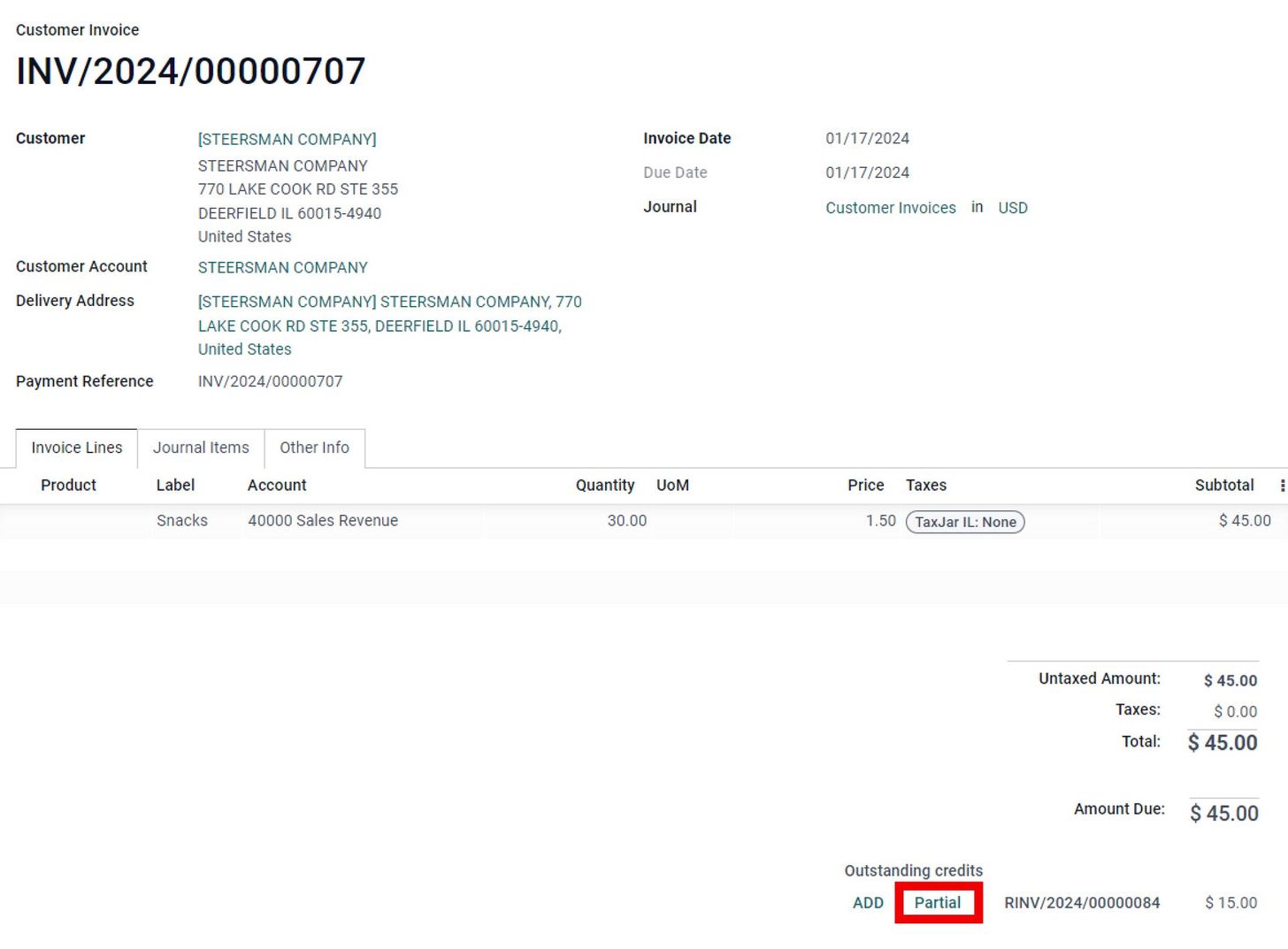
When the user clicks PARTIAL, our SBS Partial Payment screen will allow the user to indicate how much of the credit memo will be used, while also displaying the amount available to apply against the invoice for reference.

Once the credit has been applied, the invoice will be updated to reflect the reconciled amount of the applied credit and the remaining amount due on the record. The customer can now pay the remaining amount using an available payment method, and the remaining portion of the unapplied credit note will remain available for use on future or current invoices.

Track which invoices the Credit Memo was applied to
From the invoice, the user can click VIEW in order to open the original credit memo record.
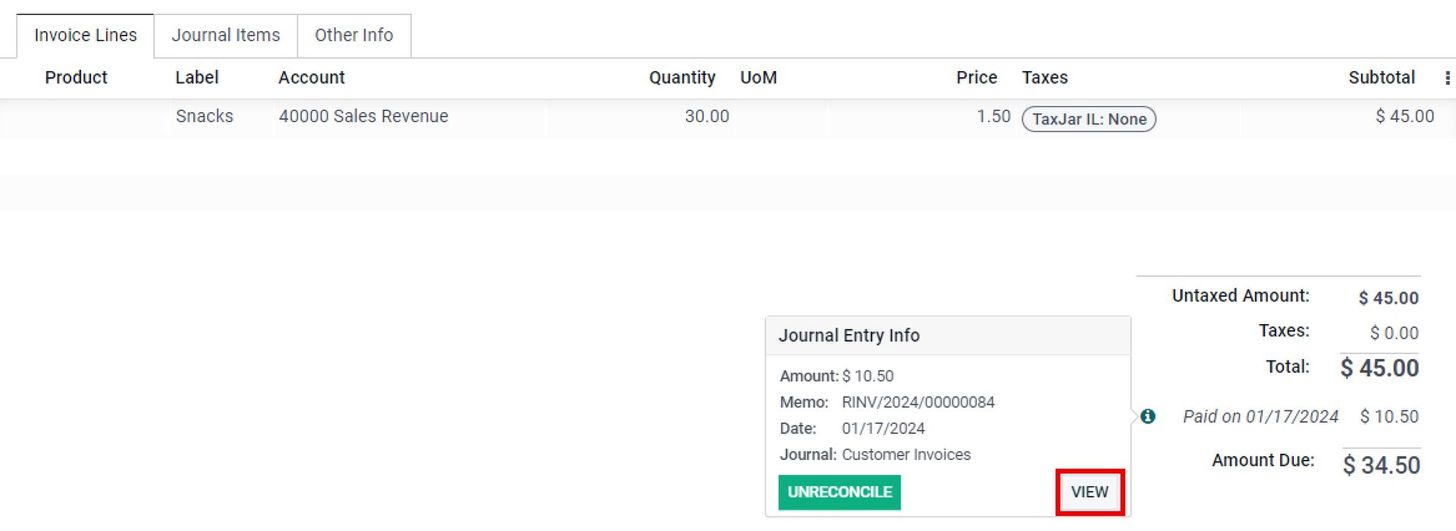
The credit memo will record each time it was reconciled, as well as the amount reconciled. In some cases, the credit memo can result in a remaining amount due that requires a separate payment method to be reconciled against it to close it out.

Apply Partial Credit Notes using Steersman’s Payment Enhancement Feature
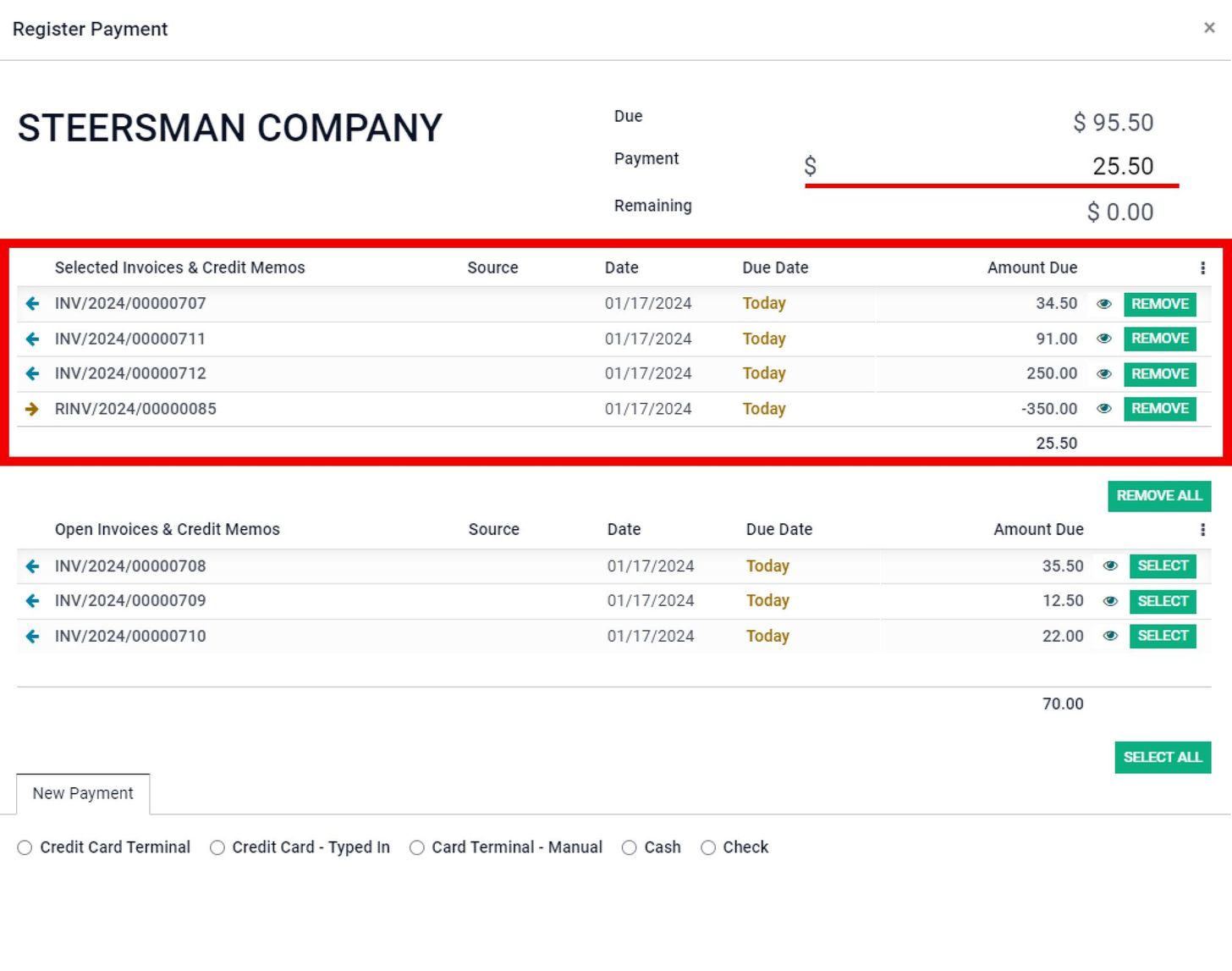
Our module is compatible with Steersman’s Payment Enhancements, allowing the user to select multiple invoices to apply a credit memo against. The payment is then calculated to show the remaining amount due that will be paid by the customer.
Additional Steersman Odoo Features
- POS Style Sale Order Management provides sales checkout capabilities, multi-delivery order sales order management for B2B customers, configurable product and delivery routing, and more!
- Quickly Create Products On-The-Fly gives businesses the ability to efficiently procure products on behalf of their customers while tracking these special orders separate from regular cataloged inventory.
- Odoo Advanced Sale Order Deposits allows sales users to take a down payment and disperse the deposit across multiple invoices for delivered goods and services.
Related posts

Odoo SO Deposits and Down Payments Applying to Multiple Invoices
Simplifying Complex Invoice Management: Allocate Deposits Against Multiple Invoices in Odoo

Product Cores for Automotive Sellers in Odoo
Efficient Automotive Product Core Management in Odoo: Track Core Eligibility, Banked Cores, Core Balances, Core Adjustments, and so much more!

Steersman's Payment Enhancements for Odoo ERP
Collect Payments using Card Terminals, Virtual Terminals that allow Manual Card Input, Saved Payment Tokens, ACH, Cash, Checks, etc. for Online Orders, In-Person or Over-the-Phone Sales, and even EDI Orders

Initiate credit card refunds from a credit note in Odoo
Steersman adds a “Refund Card” button onto the customer “credit note” view. This button allows users to select from a list of “payments” with linked “transactions” that are related to the specific sales order invoice and link them to the note.